The brief
A cafe wants its menu and today’s offers on the TV above the counter. A bank wants notices and product ads in the waiting area. A sports academy wants live scores and sponsor slides during a tournament. Most of these places already own a smart TV, and none of them wants to buy a media player box or call a technician every time a price changes.
TScreen TV is the cloud digital signage platform our team designed and built for them. The owner manages everything from a web dashboard on a laptop or phone; the TV only plays. It had to run on the TVs people actually have, so that one venue can mix a Roku TV, a Samsung and an Android TV box and run them all from one account.
What we built
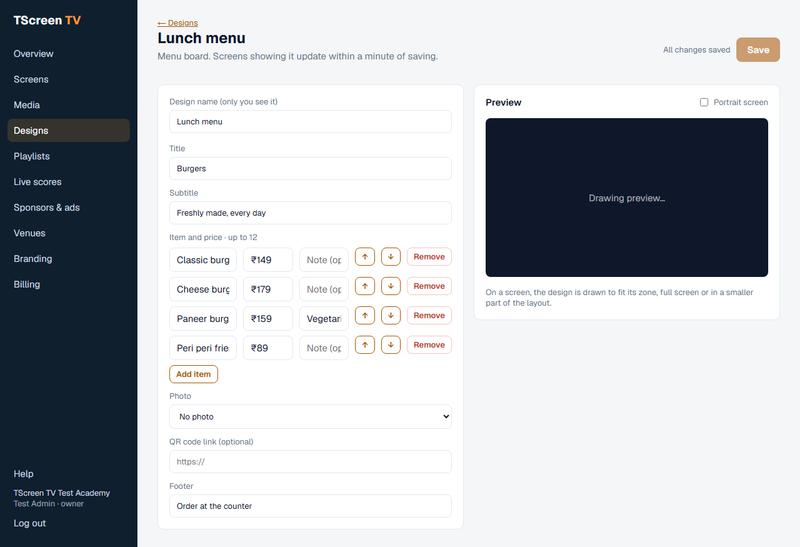
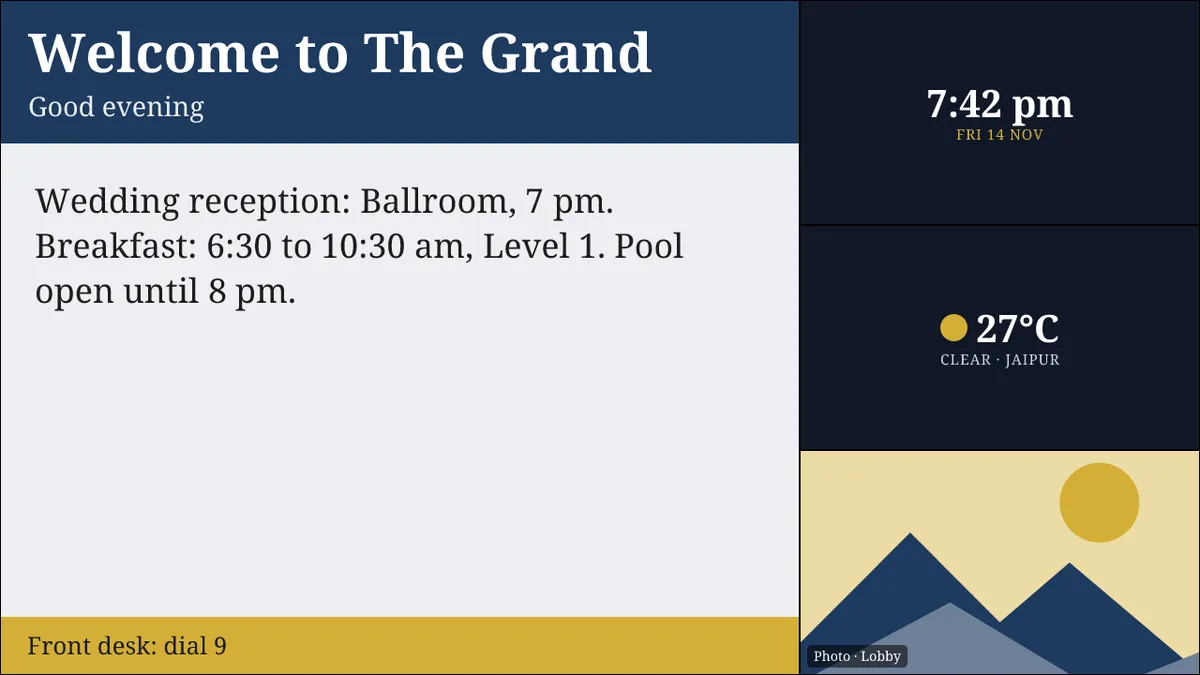
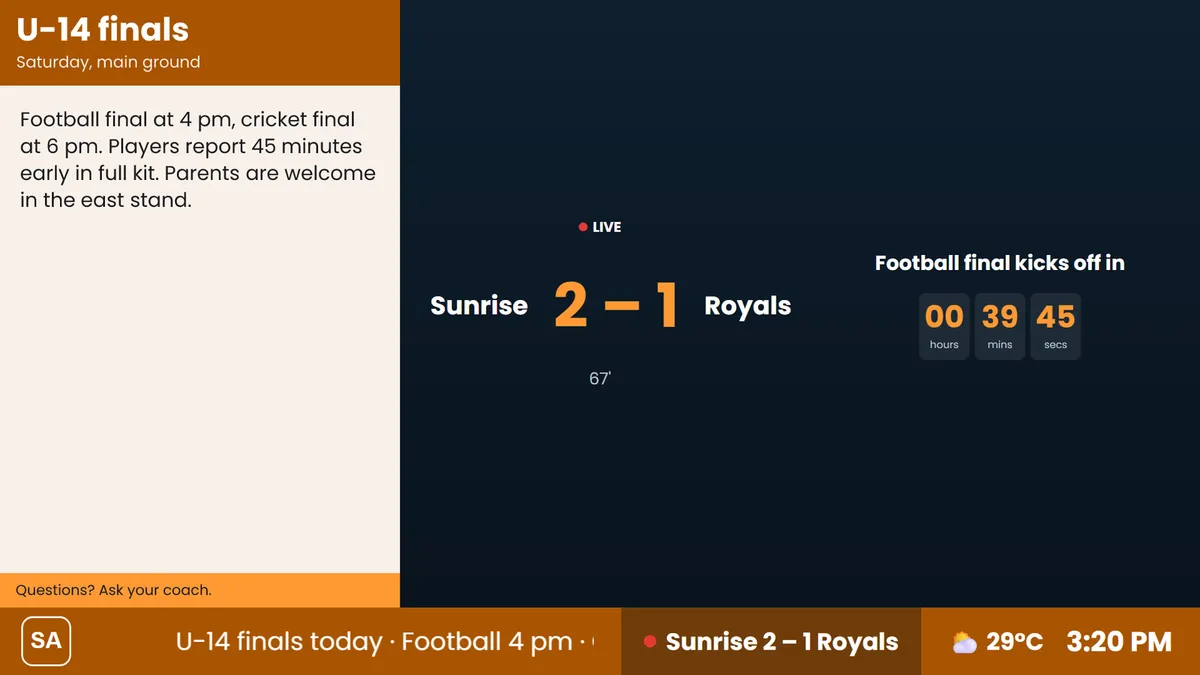
The web app. A Next.js application that holds the public website, sign-up and log-in, subscriptions in rupees or dollars, the owners’ dashboard and the API the TVs talk to. In the dashboard an owner adds screens, builds playlists and chooses a layout: one full-screen area, two halves, a 2x2 grid, or a main area with smaller zones. Each zone loops its own items on its own timer.
Content that suits a venue. Pictures and videos, plus designs made in the dashboard: menu boards, price lists, offers and notices. Countdowns (“Diwali sale ends in”), a scrolling ticker, the venue clock, weather and live scores sit in a bottom bar, in the organization’s colors, logo and typeface, including Hindi (Devanagari) fonts.
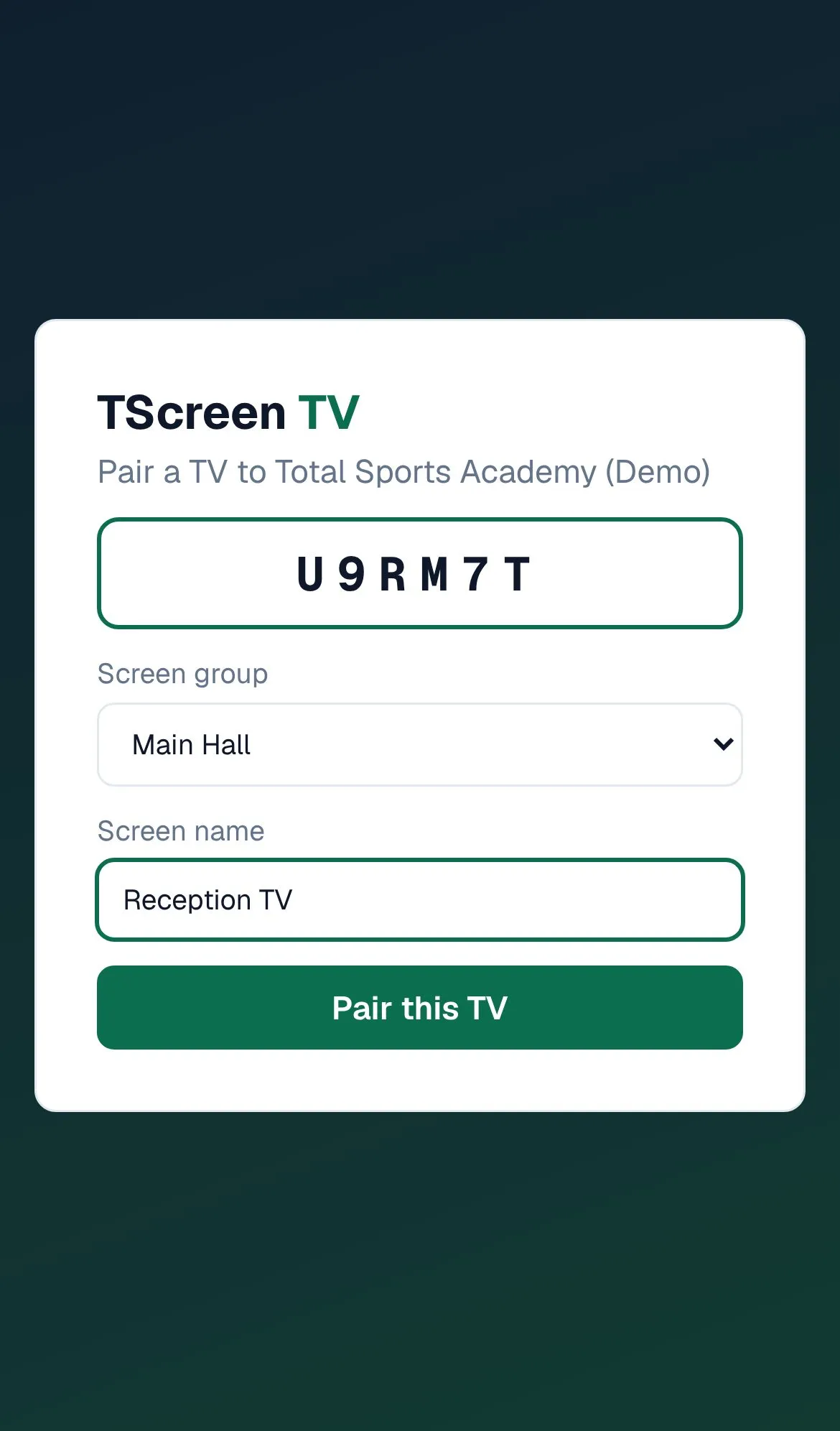
Players for six TV platforms. A Roku channel in BrightScript and SceneGraph. An Android TV, Google TV and Fire TV app in Kotlin with Jetpack Compose and ExoPlayer. One web player that installs as a Samsung Tizen app and an LG webOS app, and also runs from a plain web link on any TV or PC with a browser. Each player pairs with the dashboard by QR code or a short code, so nobody types a password on a TV remote.
Advertising. Sponsor and local ad slots play in the first zone with a “Sponsored” tag. Every play is logged with its time, and owners can download the log as a CSV file. Screens also carry the details buyers of digital out-of-home ads ask for: venue type, opening hours, screen size and placement.
Payments. Subscriptions through PayPal and Razorpay, with webhooks that keep each account’s plan in step with the payment provider.
How it works
All the players follow one device API, documented in the backend repository. A paired TV fetches its playlist, downloads the media and keeps it for offline play. Designs are stored by their ID and checksum, so when an owner changes a price only the new picture is downloaded. A regular heartbeat tells the server the screen is alive and which ads it played.
Each platform has its limits, and the players handle them rather than the owner. A Roku plays one video at a time, so while one zone plays a video the other zones skip theirs and move on. A screen set to portrait in the dashboard turns its whole picture, so a TV mounted sideways needs no other setup. A player skips widgets it does not know yet, so a new dashboard feature never breaks an older TV.
The same approach is how we build digital signage software for clients: one backend, a player per platform, and offline playback from day one. The Roku and Samsung players draw on our Roku channel development and smart TV app development work.
The result
The website, sign-up, subscriptions, the owners’ dashboard and the browser player are live at tscreentv.com. A venue can pair whichever TVs it has, change a menu from a phone and see the update on every screen, and run sponsor slides with a play log to show the sponsor.
Because play logging, venue types and screen placement are already in the data, the platform is ready for the next step: selling screens through programmatic digital out-of-home ad platforms. If you want a signage product of your own, or players for an existing one, tell us about it.